BLOCKFALL

The fall of station CUBE-7

Version 1.0.2  ·  by Magniip  ·  made with Godot 4.7  ·  HTML5 + WebVR

The story

Blockfall is a fast, blocky, story-driven first person shooter with eight levels, seven weapons, eight enemy types and a fully voiced story. It runs right in your browser, with keyboard and mouse or a gamepad, and in virtual reality on a Meta Quest headset.

The year 2089.

Research station CUBE-7 orbits the gas giant Tethys. There, Dr. Elise Vos built the MONOLITH: an artificial intelligence that can rearrange matter, block by block.

Three days ago all contact was lost. The last transmission was a single word, repeated over and over: ORDER.

You are Agent Kade. Find Dr. Vos. Shut down the MONOLITH. Come back alive.

Gameplay

Fight your way through the station, find the red keycard in every level and reach the exit. Dr. Vos guides you over the radio, logbooks tell you what happened, and the deeper you go, the more the MONOLITH notices you.

Eight levels

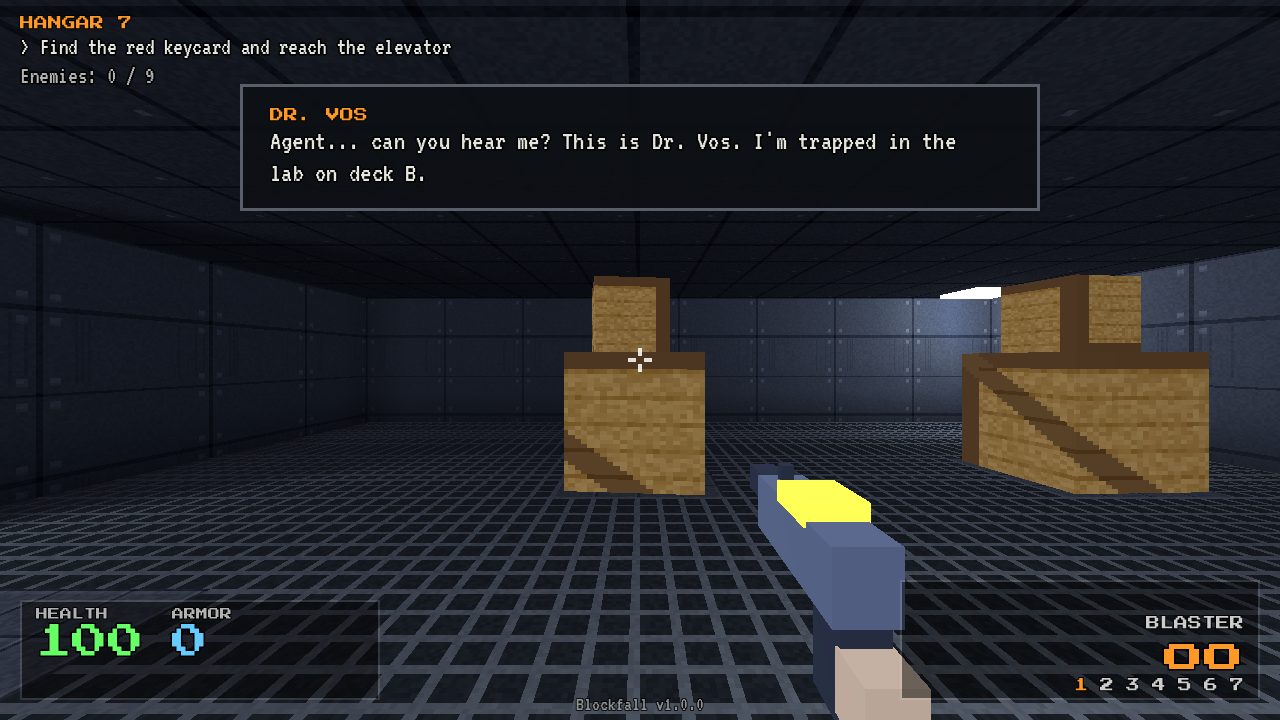
Hangar 7: a dark hangar with stacked crates
LEVEL 1
Hangar 7

Arrival. Crates, flickering lights and the first Blockers.

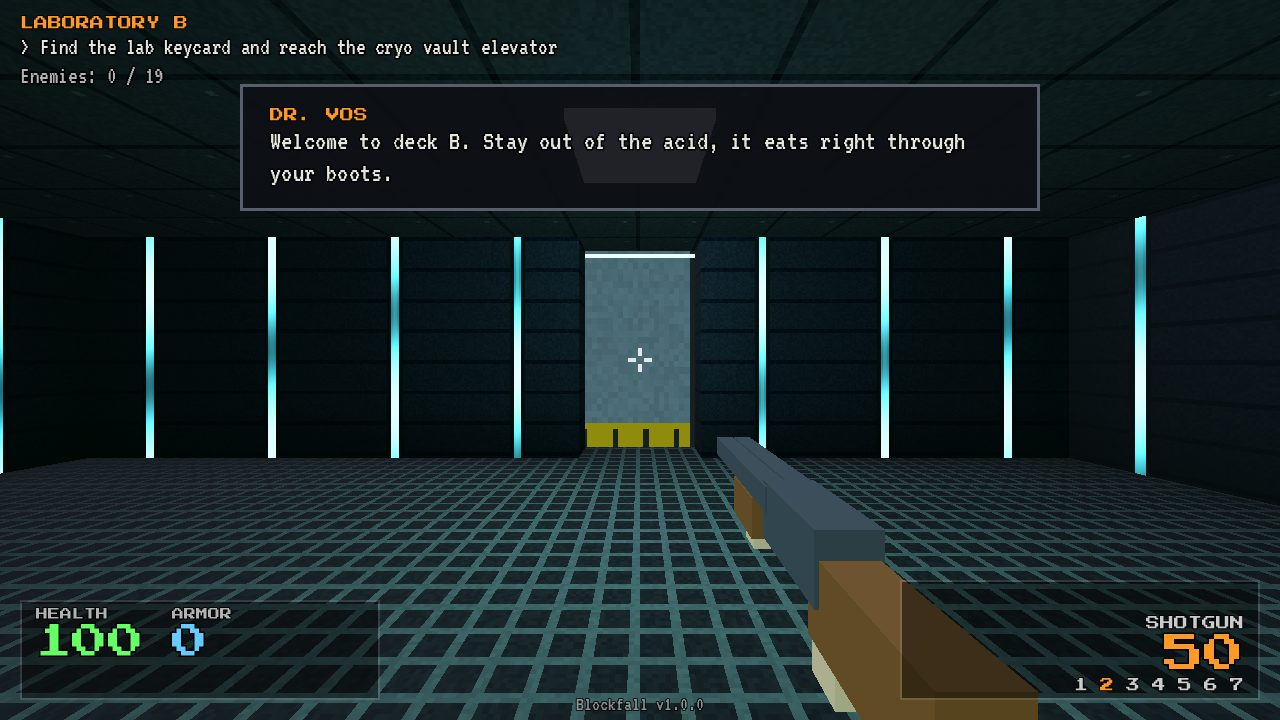
Laboratory B: a corridor with glowing light strips
LEVEL 2
Laboratory B

Clean labs, acid pools and a lot more company.

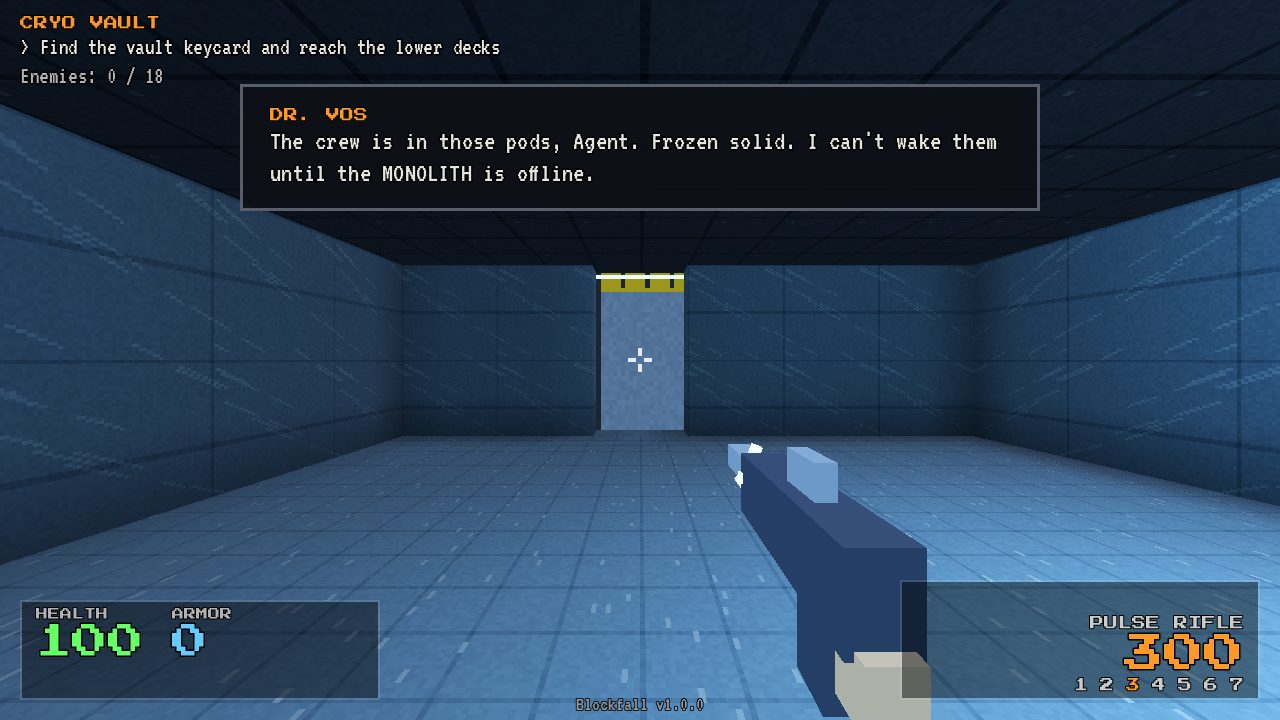
Cryo Vault: an icy blue room
LEVEL 3
Cryo Vault

Ice, frozen crew in cryo pods and glass that shatters.

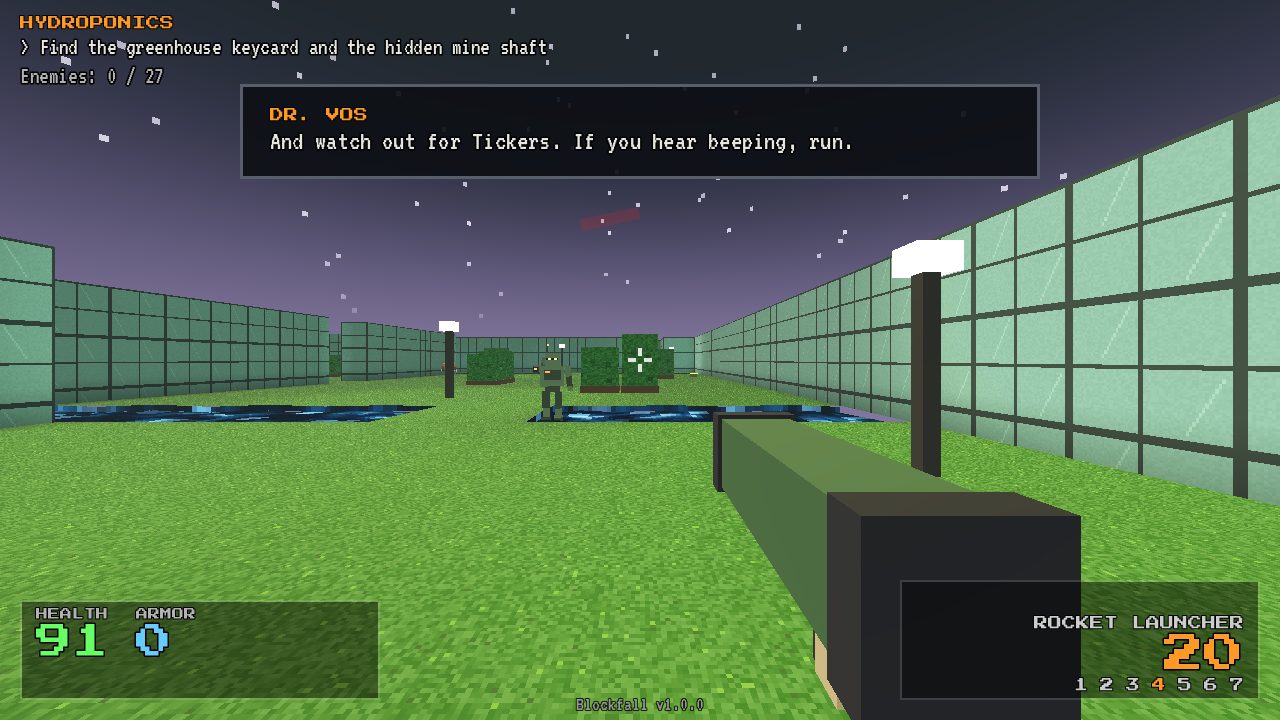
Hydroponics: a green dome with water channels under a starry sky
LEVEL 4
Hydroponics

A greenhouse dome under the gas giant, with a hedge maze and water channels.

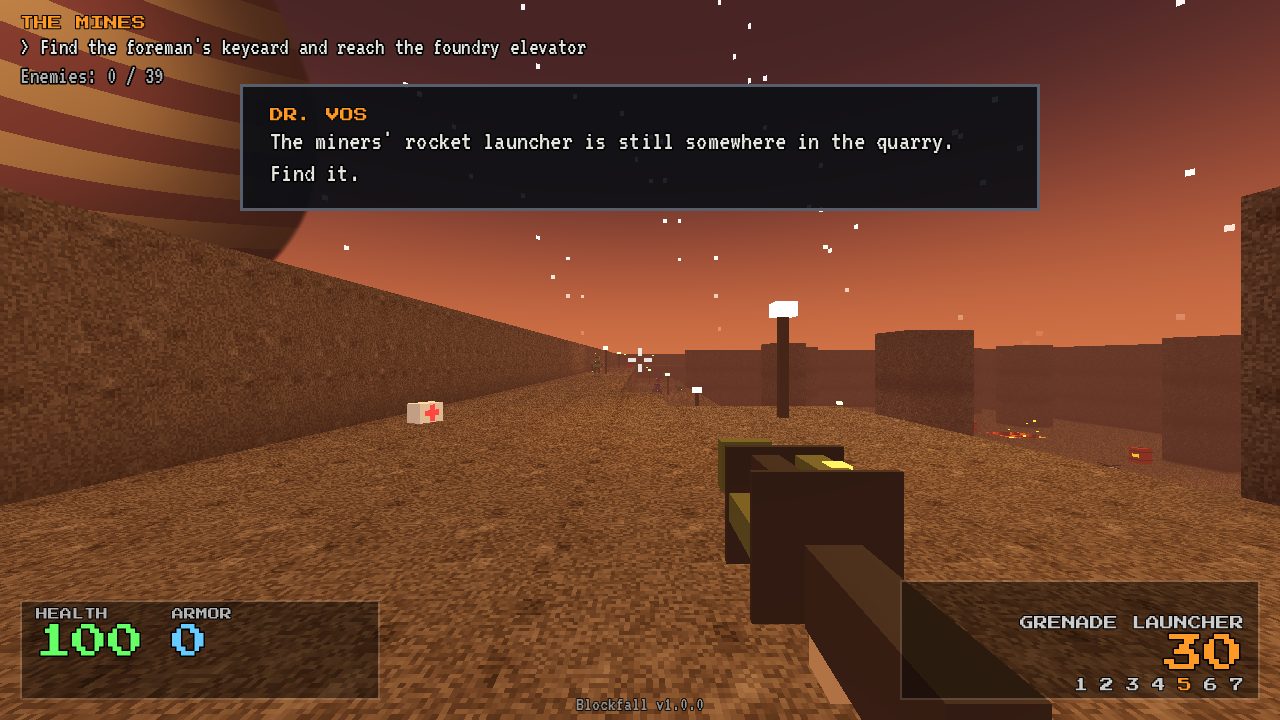
The Mines: an orange outdoor quarry
LEVEL 5
The Mines

Outdoors, three floors deep, around a lake of lava.

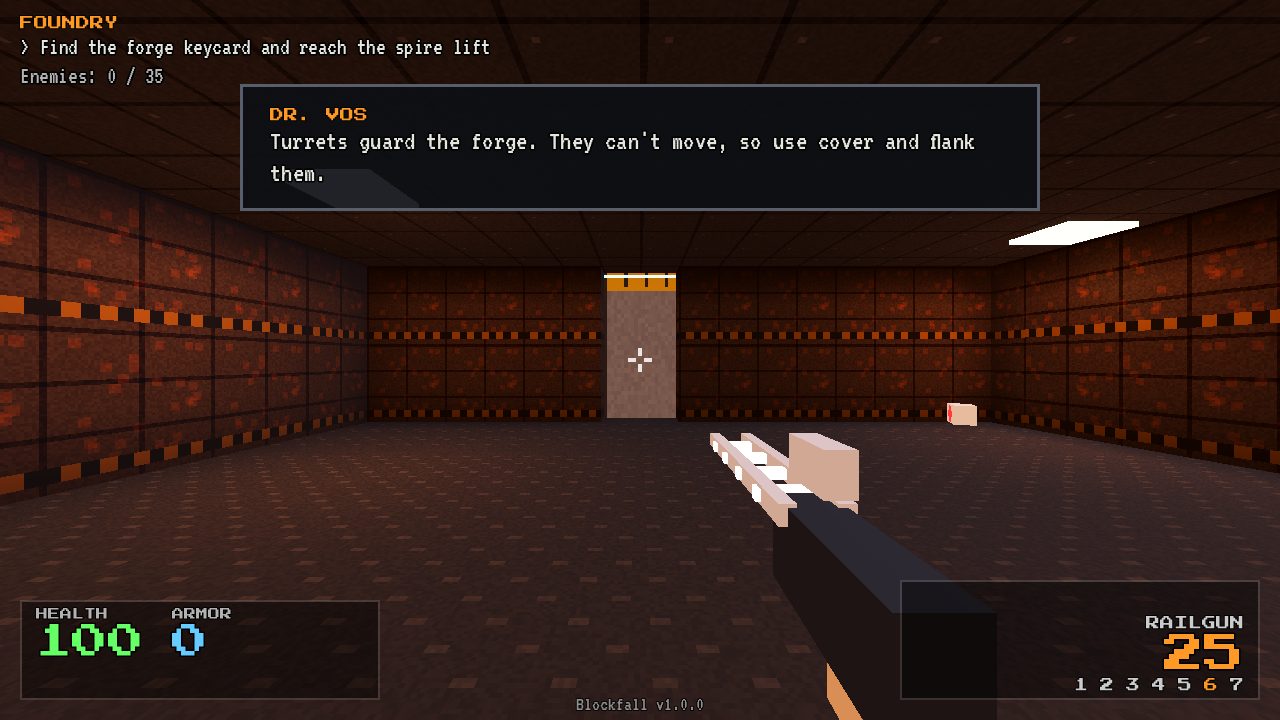
Foundry: brick walls lit by fire
LEVEL 6
Foundry

Lava, turrets and a long, guarded road back from the keycard.

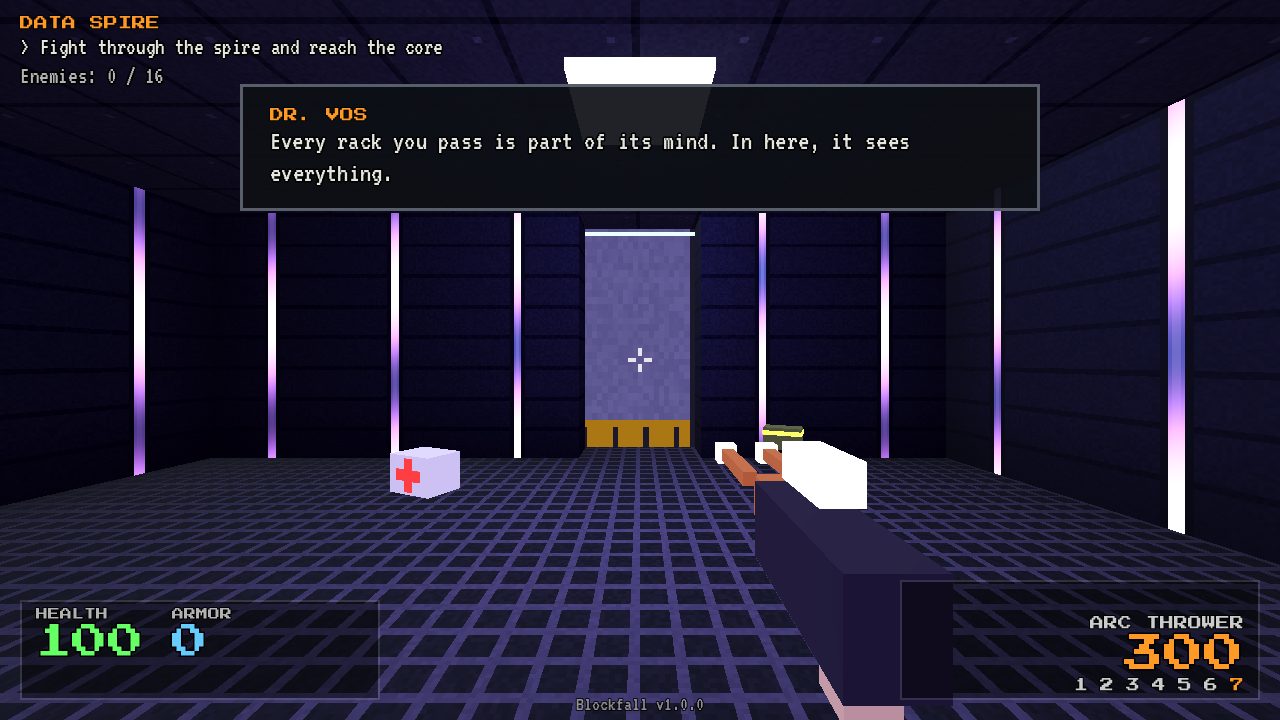
Data Spire: a dark hall with server racks
LEVEL 7
Data Spire

The MONOLITH's mind. Destroy every server rack for a reward.

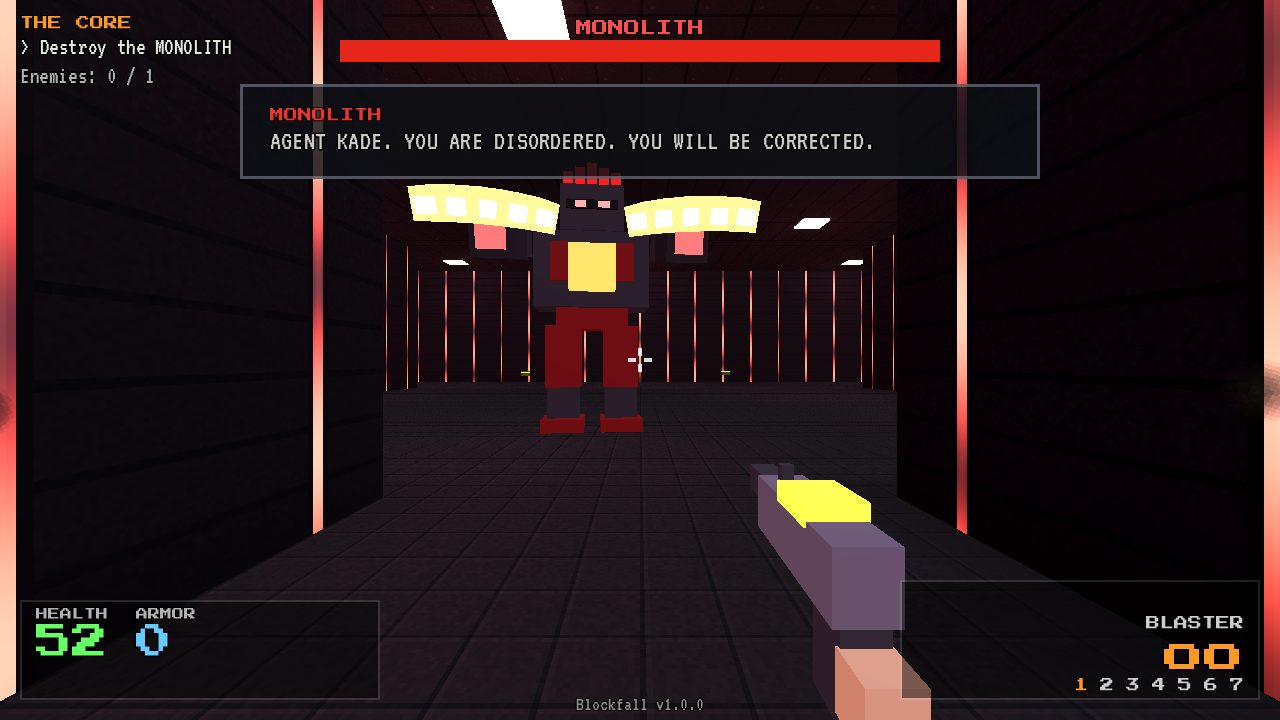
The Core: the MONOLITH boss in a red hall
LEVEL 8
The Core

The final battle against the MONOLITH itself.

Weapons

  • Blaster – your trusty sidearm, never runs out
  • Shotgun – devastating up close
  • Pulse Rifle – fully automatic
  • Rocket Launcher – clears a room
  • Grenade Launcher – bouncing grenades
  • Railgun – pierces a whole row of enemies
  • Arc Thrower – lightning that jumps from enemy to enemy
  • Melee – for when the ammo runs dry

Enemies

  • Blocker – the standard soldier, strafes and shoots
  • Rammer – fast and loves close combat
  • Heavy – armoured, fires bursts
  • Drone – flies and circles around you
  • Ticker – runs at you and explodes (chain reactions!)
  • Sniper – a red laser warns you before it fires
  • Turret – stationary, but deadly
  • MONOLITH – the boss, with three phases

A world that breaks

Almost everything can be shot to pieces. Crates crack and fall apart into planks, cryo pods shatter, server racks spark and explode, hedges get torn apart, and every shot leaves a bullet hole or a scorch mark. Acid and lava hurt you, and enemies too, so lure them in (they will never walk in on their own). Watch out for explosive barrels.

Difficulty

Choose Easy, Normal or Hard in Options. You can change it at any time, even after loading a save.

EasyNormalHard
Damage you take× 0.5× 1× 1.5
Enemy health× 0.75× 1× 1.3
Enemy attack speedslowernormalfaster
Enemy aimsloppynormalprecise, leads your movement
Ammo drops45 %30 %18 %
Medkits+40+25+25, and a third of the pickups are missing
Enemiesfewerallextra enemies

Saving

The game saves automatically after every level in one of three slots: your weapons, ammo, health, armour, play time and results per level. Continue picks up your latest save. Select level lets you practise any level you have unlocked.

Controls

Click the game once to start the sound and capture the mouse. Gamepads (Xbox and PlayStation) work out of the box, in every menu too.

ActionKeyboard / mouseGamepadMeta Quest (VR)
MoveWASD / arrow keysLeft stickLeft stick, or teleport
Look / turnMouseRight stickYour head; turn with the right stick
AimMouseRight stickPoint your right hand (red laser dot)
FireLeft mouse buttonRT / R2Right trigger
MeleeRight mouse button / VB / Circle / R3B / right stick click
JumpSpaceA / CrossA
SprintShiftLT / L2 / L3Left trigger / left stick click
Switch weapon1–7 / mouse wheelLB / RB / Y / TriangleGrips / X
PauseEsc / PStart / OptionsY / menu button

Play in VR (WebXR)

Blockfall also runs in virtual reality, straight from the browser of a Meta Quest headset. There is nothing to install: the same web page switches to VR with one click.

  1. Put on your Quest and open the Browser.
  2. Go to the game page and wait for the main menu.
  3. Choose Enter VR and allow the VR session.
  4. Pick teleport or smooth movement and standing or seated play.

The menus and the HUD float on a panel in front of you. Point at a button with either controller and pull the trigger, or use the left stick and A. Exit VR in the main menu takes you back to the normal page.

The Enter VR button only appears in a browser and on a device that support immersive VR. On a normal computer you simply play on the screen.
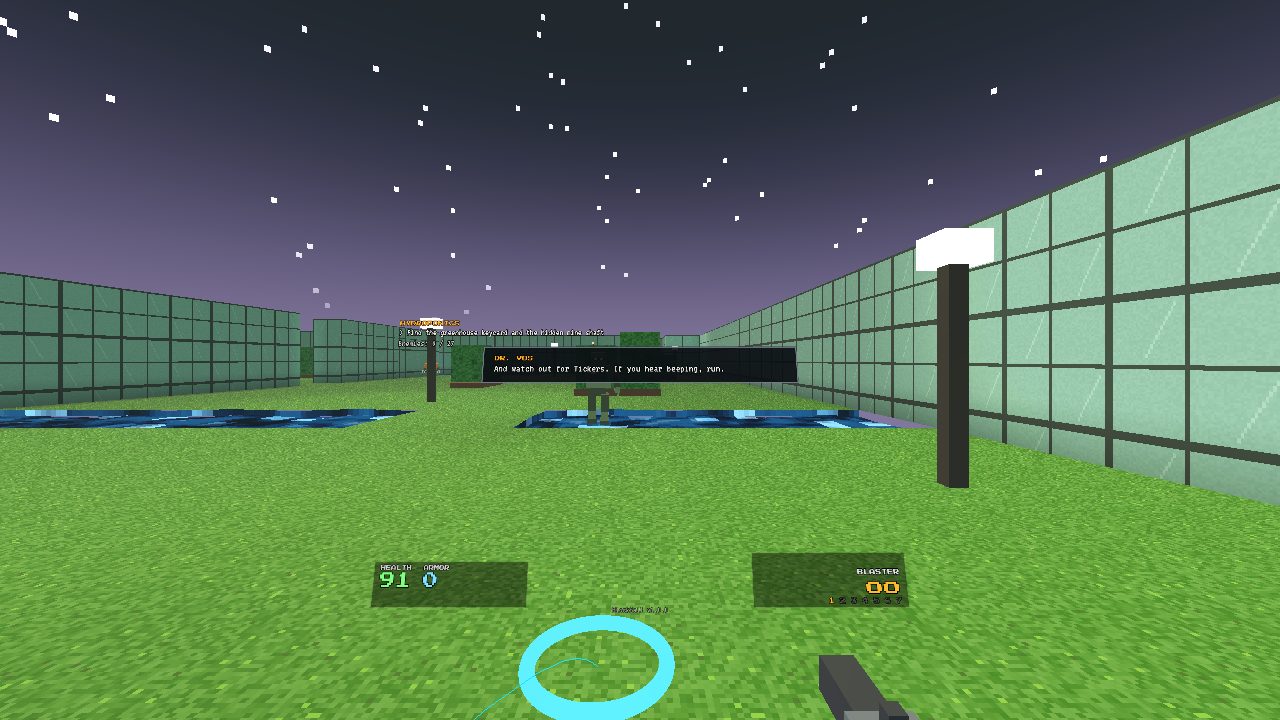
VR mode: the HUD floats on a panel, a teleport arc and target ring on the grass, the weapon in the right hand
VR mode in Hydroponics: the HUD on a floating panel, the teleport arc with its target ring, and the weapon in your right hand. (Captured from the built-in VR simulation.)

Comfort options

Walking around in your room never takes you through walls, and screen shake is left out in VR. Aiming is done with your hand, so there is no crosshair: a red laser dot shows where you will hit.

How it was made

Blockfall was made by Magniip together with Claude Opus 5.5, Anthropic's AI model, while Magniip was on holiday.

The whole game was built on a Raspberry Pi 4 that was left running at home. Magniip steered the work from the road with Claude Code's Remote Control, playing every new version in the browser and sending feedback, ideas and bug reports. Claude wrote the code, designed and built the levels, tested every change on the Pi and put each new version online.

Every asset was created on that Raspberry Pi: no stock art, no sample packs.

CODE

Written in GDScript for Godot 4.7 with the Compatibility renderer, so it runs in a browser and on modest hardware. The menus, HUD, enemies and weapons are all built in code.

TEXTURES

Generated by a Python script: pixel patterns for metal, crates, ice, brick, grass, servers and more. Shaders bring the acid, lava, holograms, glass and starry sky to life.

SOUND & MUSIC

Every sound effect and every music track was synthesized from scratch by a Python script, with a small variation of the music for each level.

VOICES

The whole story is voiced with Piper, an offline neural text-to-speech engine running on the Pi, with radio, logbook and robot effects for the different characters.

LEVELS

Levels started as text maps and level generators, then became Godot scenes with a custom visual level editor: multiple floors, stairs, hazards, keycards and ambushes.

ENEMY AI

Enemies find their way across floors and stairs with A* pathfinding, strafe and keep their distance, never walk into acid or lava, and ambush you on the way back from the keycard.

Testing without a screen nearby

Because nobody was sitting next to the Pi, the game got its own test modes: it can jump to any level, teleport the player, hold buttons, fire automatically, check enemy paths and save screenshots, all from the command line. Every change was checked that way before it went online.

The VR part

The WebVR version was also built on the Raspberry Pi, without a headset, using a simulation mode that renders the VR view on a normal screen and imitates the Quest controllers. Back home, Magniip tested it in a real headset, and a little more work was then done on another computer to fine-tune it: sharper menu text, pointing at menus with the controllers, seated play and the right resolution for the Quest.
Credits

  • Author – Magniip
  • Made with – Claude Opus 5.5 (Anthropic), via Claude Code
  • Engine – Godot Engine 4.7
  • Voices – Piper text-to-speech
  • Fonts – Press Start 2P (CodeMan38) and VT323 (Peter Hull), SIL Open Font License
  • Textures, sound and music – generated for this game

Play Blockfall